Linux Thin Client Operating System Explained: Security, Management, and VDI
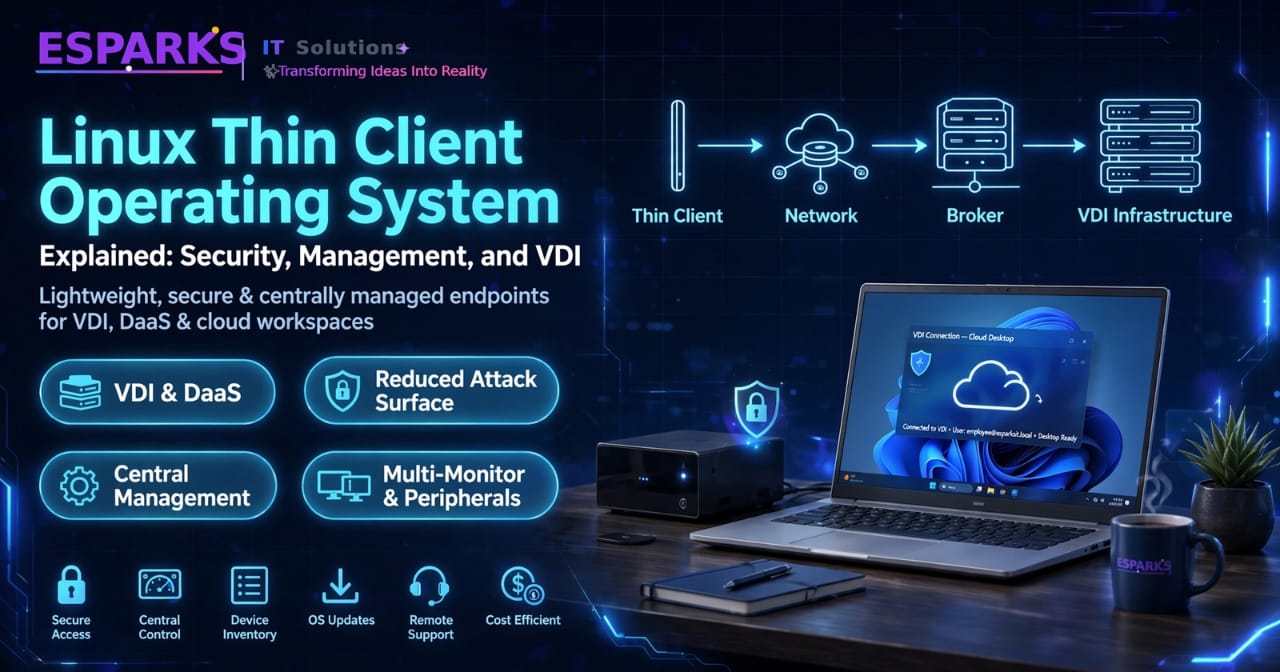
Linux thin client operating systems are becoming an important option for organizations that want simpler, more controlled, and centrally managed endpoint environments. Instead of running a complete desktop operating system with a large collection of locally installed applications, a thin client OS is designed primarily to provide secure and efficient access to virtual desktops, remote applications, cloud services, and centrally managed business environments.
This approach can be useful for organizations running VDI, DaaS, remote desktop infrastructure, call centers, healthcare environments, education systems, branch offices, and shared workstations.
A Linux-based thin client can provide a lightweight endpoint while keeping much of the computing workload and business data within centralized infrastructure. However, choosing a Linux thin client operating system is not simply a question of whether it is lightweight or open source. Security architecture, device management, VDI compatibility, hardware support, update mechanisms, user experience, and long-term administration all matter.
This guide explains how Linux thin client operating systems work, where they fit into modern VDI environments, what security advantages they can provide, and what businesses should evaluate before deployment.
Key Takeaways
- A Linux thin client OS is designed to provide controlled access to centralized desktops, applications, and cloud services.
- Thin clients can reduce local attack surfaces by limiting unnecessary software and local data storage.
- Centralized management is important for configuring devices, deploying updates, monitoring endpoints, and maintaining consistent policies.
- Linux thin clients can work with different VDI, remote desktop, and cloud environments depending on the operating system and client software.
- Security depends on the complete architecture, including endpoint configuration, authentication, network controls, VDI infrastructure, and management systems.
- Hardware compatibility and peripheral support should be tested before deployment.
- A pilot deployment is recommended before rolling out a Linux thin client OS across the complete organization.
What Is a Linux Thin Client Operating System?
A Linux thin client operating system is a lightweight Linux-based operating system optimized for endpoint devices that primarily connect users to applications or desktops hosted somewhere else.
Unlike a traditional desktop operating system, the thin client environment is generally designed around a specific purpose: connecting users securely to centralized computing resources.
The endpoint may provide the display, keyboard, mouse, network connectivity, authentication interface, and required client software, while the actual desktop session runs on a remote server or virtual machine.
For example, a user may switch on a thin client and connect to a Windows virtual desktop hosted in a VDI environment. The user sees and interacts with the desktop locally, but much of the actual application processing takes place on the remote virtual machine.
This architecture can reduce the amount of software and sensitive information that needs to reside on the endpoint.
How Does a Linux Thin Client Work?
A typical Linux thin client environment contains several components working together.
The endpoint boots into the Linux thin client OS and establishes a network connection. The user then authenticates and connects to a remote desktop, virtual application, cloud workspace, or other centralized service.
A simplified architecture looks like this:
Linux Thin Client → Network → Authentication / Connection Broker → VDI or Remote Desktop Infrastructure → Applications and Data
The exact architecture depends on the organization's platform.
In a VDI environment, a connection broker can authenticate users and direct them to an available virtual desktop. The endpoint then displays the remote session while the virtual desktop infrastructure handles the underlying workload.
VDI architectures can provide centralized provisioning and management, while remote access security still needs to be designed carefully around authentication, network connectivity, endpoint controls, and session policies.
Why Are Businesses Using Linux Thin Clients?
One of the main reasons organizations consider Linux thin clients is endpoint simplicity.
Traditional PCs can contain many applications, drivers, local files, background services, and configuration settings. Managing these components across hundreds or thousands of endpoints can create a significant operational burden.
A thin client OS can provide a more controlled environment.
Instead of treating every endpoint as a complete independent computer, IT teams can standardize the endpoint and move more of the management responsibility toward centralized systems.
This can be especially useful for:
- Call centers
- Healthcare organizations
- Schools and universities
- Branch offices
- Retail environments
- Manufacturing facilities
- Shared workstations
- Financial services
- Government environments
- Remote and hybrid workforces
The value is not simply lower endpoint complexity. The bigger advantage can come from having a consistent and centrally controlled computing environment.
Linux Thin Client Security: What Makes It Different?
Security is one of the most important reasons businesses consider thin client operating systems.
A traditional PC may have a broad software environment with many locally installed applications. A purpose-built thin client can limit what users and applications can do locally.
Some purpose-built thin client operating systems use locked-down or closed architectures specifically to reduce the local attack surface. Dell, for example, describes ThinOS as a purpose-built OS for VDI, DaaS, and SaaS access with centralized control and a locked-down desktop experience.
A Linux-based thin client can similarly be configured around the organization's specific access requirements rather than functioning as a general-purpose desktop.
However, thin client security should not be treated as automatic.
A secure endpoint still needs secure authentication, protected communications, proper network segmentation, timely updates, appropriate permissions, and secure VDI infrastructure.
1. Reduced Local Attack Surface
A lightweight endpoint can reduce the number of applications and services running locally.
This can make the endpoint easier to control and potentially reduce the number of components that need to be protected.
The exact security benefit depends on the operating system design and configuration. A generic Linux desktop installed on a thin client is not automatically equivalent to a purpose-built thin client OS.
The security architecture matters.
2. Less Sensitive Data Stored Locally
One of the major benefits of centralized desktop environments is that business data can remain within the data center or cloud environment instead of being stored permanently on the endpoint.
The National Cyber Security Centre notes that remote desktop and thin-client approaches can reduce the amount of corporate data cached on the user device, although the endpoint still needs to communicate only with authorized services.
This can be valuable for organizations handling confidential customer information, financial records, healthcare information, intellectual property, or other sensitive data.
3. Centralized Security Policies
When endpoints are centrally managed, IT teams can apply consistent configuration policies.
Instead of manually configuring every device, administrators can define standard settings and apply them across device groups.
Depending on the platform, this can include:
- Network configuration
- Authentication settings
- Display configuration
- USB policies
- Browser policies
- Session settings
- Certificate configuration
- Remote desktop settings
- Security restrictions
- Peripheral access
Centralized policy management becomes increasingly important as the endpoint fleet grows.
4. Secure Authentication
Authentication should be considered as part of the overall thin client architecture.
Organizations may use directory services, certificates, multi-factor authentication, smart cards, or other identity mechanisms depending on the infrastructure.
The Linux thin client OS should support the authentication methods required by the organization's VDI or cloud environment.
It should also provide appropriate controls for local administrative access.
Linux Thin Client Management
Security is only one part of endpoint management.
A Linux thin client environment also needs a reliable way to configure, monitor, update, and troubleshoot devices.
Centralized management allows administrators to control multiple endpoints from a single management platform.
Instead of physically visiting each device, IT teams can perform many administrative tasks remotely.
Device Inventory
The management platform should provide visibility into the endpoint fleet.
Useful information can include:
- Device model
- OS version
- Firmware version
- Network information
- Device status
- Configuration
- Location
- Assigned policies
- Last connection or check-in
This information helps IT teams understand what is deployed and identify devices that need attention.
Configuration Management
A centralized management platform should allow administrators to create standardized configurations.
For example, a company may create separate profiles for:
Call Center Devices
Branch Office Devices
Healthcare Workstations
Remote Workforce Devices
Administrative Workstations
Each profile can contain settings appropriate for that particular environment.
OS and Firmware Updates
Updating thin client devices is another important management requirement.
Administrators should be able to determine which devices are running older versions and deploy updates in a controlled way.
A staged approach is usually safer than updating every endpoint simultaneously.
The IT team can test a new OS image or firmware version on a small group before expanding the rollout.
Remote Troubleshooting
Remote support can significantly reduce operational overhead for distributed environments.
Depending on the platform, administrators may be able to remotely view or control an endpoint, restart devices, review configuration information, or identify connectivity problems.
For example, enterprise thin client platforms may provide remote shadowing and centralized device management capabilities.
Linux Thin Client and VDI
VDI is one of the most common architectures associated with thin client computing.
Virtual Desktop Infrastructure allows organizations to host desktop environments centrally and provide users with remote access to those environments.
The endpoint therefore becomes the access layer rather than the primary computing environment.
A typical VDI architecture includes:
Thin Client → Connection Broker → Virtual Desktop → Applications and Data
The connection broker manages user sessions and determines which virtual desktop should be assigned.
The virtual desktop runs within the organization's data center or cloud infrastructure.
The thin client simply provides the interface through which the user interacts with that environment.
What VDI Platforms Can a Linux Thin Client Support?
This depends heavily on the Linux thin client operating system and its available client software.
Organizations may need support for technologies such as:
- Microsoft Remote Desktop
- Citrix
- VMware/Omnissa environments
- Browser-based workspaces
- DaaS platforms
- Remote application delivery
- Linux VDI
- Cloud desktops
Not every Linux thin client supports every protocol or VDI platform.
For this reason, compatibility should always be tested before deployment.
Modern cloud-based architectures can also use thin clients as controlled access endpoints. For example, AWS WorkSpaces Thin Client associates endpoint environments with supported virtual desktop and application services, while Linux VDI solutions can use brokers and remote desktop technologies to deliver centralized sessions.
Linux Thin Client OS vs Traditional Desktop OS
The biggest difference is the intended role of the endpoint.
A traditional desktop OS is designed to run applications locally and provide users with a broad computing environment.
A thin client OS is designed primarily to provide controlled access to centralized resources.
| Area | Linux Thin Client OS | Traditional Desktop OS |
|---|---|---|
| Primary purpose | Remote workspace access | General-purpose computing |
| Local applications | Limited | Broad |
| Local data | Usually minimized | Often significant |
| Management | Centralized | Often endpoint-focused |
| Hardware requirements | Usually lower | Usually higher |
| Security model | Controlled/locked down | Broader attack surface |
| VDI focus | High | Varies |
| Administration | Centralized policies | Multiple management tools |
The right choice depends on the workload.
Employees who need specialized local software may require a traditional desktop, while users who primarily work through VDI, browser applications, or remote desktops may be strong candidates for thin clients.
Hardware Requirements for Linux Thin Clients
Thin clients generally do not require the same hardware capabilities as high-performance desktop computers.
However, that does not mean hardware can be ignored.
The endpoint still needs to provide enough performance for:
- Display rendering
- Video playback
- Network communication
- Multiple monitors
- USB peripherals
- Audio
- Smart cards
- Web applications
- Video conferencing
- Remote desktop protocols
A modern thin client deployment may also require support for Wi-Fi, Ethernet, USB devices, multiple displays, and other peripherals depending on the user environment.
Before selecting hardware, test the actual workloads rather than relying only on minimum specifications.
Peripheral and Device Redirection
Peripheral support can become one of the biggest practical challenges in thin client deployments.
Organizations may need users to access:
- Printers
- USB storage
- Headsets
- Webcams
- Smart card readers
- Barcode scanners
- Specialized healthcare devices
- Security tokens
The Linux thin client OS and VDI platform need to work together to provide the required device redirection.
Security policies should also determine which peripherals are permitted.
For example, allowing unrestricted USB storage may create unnecessary data-exfiltration risk in an environment where the primary goal is centralized data protection.
Network Requirements
Thin clients depend heavily on network connectivity.
A user may have a powerful virtual desktop in the data center, but a poor network connection can still result in a poor experience.
Consider:
- Network latency
- Bandwidth
- Packet loss
- Wi-Fi reliability
- VPN performance
- Internet connectivity
- WAN links between branches and data centers
For multi-location deployments, network architecture should be tested before large-scale rollout.
A thin client solution should also provide appropriate fallback or reconnection behavior where possible.
Centralized Management vs Manual Configuration
Manual configuration may work for a very small number of devices.
As the fleet grows, however, manual administration becomes increasingly difficult.
Imagine an organization with 500 endpoints.
If every device needs to be configured individually, even small policy changes can consume significant IT time.
With centralized management, the administrator can update a policy once and apply it to the relevant device group.
This improves consistency and can reduce repetitive operational work.
How to Choose the Right Linux Thin Client OS
Choosing the right operating system should start with business and technical requirements rather than brand names.
Step 1: Understand the Existing Environment
Document your current:
- Thin client hardware
- PC hardware
- VDI platform
- Cloud services
- Authentication system
- Network architecture
- Peripherals
- Security policies
Step 2: Define the User Workloads
Different users have different requirements.
A call center agent may need only a browser and remote desktop session.
A developer or engineer may require high-resolution graphics and specialized applications.
A healthcare workstation may require printers, scanners, smart cards, and specialized peripherals.
The OS should support the actual workload.
Step 3: Evaluate VDI Compatibility
Verify that the operating system supports the required connection protocols and VDI platforms.
Do not rely only on a vendor's general statement that it supports VDI.
Test actual connections with your environment.
Step 4: Evaluate Security
Look at:
- Secure boot options
- System lockdown
- Authentication
- Encryption
- Certificate support
- USB controls
- Local privilege management
- Remote access security
- Update mechanisms
Security should be evaluated across the endpoint and backend architecture.
Step 5: Evaluate Management
Ask whether administrators can centrally:
- Provision devices
- Configure policies
- Deploy updates
- Monitor endpoints
- Troubleshoot devices
- Generate reports
- Manage groups
Step 6: Test Real Devices
A pilot should include the actual hardware and peripherals that users will operate.
Test login, VDI sessions, printers, webcams, audio, USB devices, multi-monitor setups, network changes, and recovery scenarios.
Step 7: Calculate Total Cost
The OS license is only one part of the overall cost.
Include:
- Hardware
- Management software
- VDI infrastructure
- Implementation
- Support
- Training
- Network upgrades
- Integration
- Maintenance
How Much Does a Linux Thin Client Solution Cost?
The total cost depends on the architecture.
A small organization using repurposed hardware and a simple Linux-based endpoint configuration may have a very different cost structure from a large enterprise using dedicated thin clients, centralized management, commercial VDI infrastructure, and enterprise support.
Costs can include:
- Thin client hardware
- Linux thin client OS
- Management platform
- VDI licensing
- Cloud infrastructure
- Network infrastructure
- Implementation
- Support
- Security tools
- Training
Instead of comparing only OS licensing prices, calculate the three-to-five-year total cost of ownership.
A low-cost endpoint may still become expensive if it requires extensive manual administration or does not integrate well with existing infrastructure.
How Long Does a Linux Thin Client Deployment Take?
Deployment time depends on the size and complexity of the environment.
A small standardized environment may be deployed relatively quickly.
A larger enterprise deployment may require more planning because of multiple locations, device types, VDI platforms, authentication systems, peripherals, and security requirements.
A practical rollout can follow this sequence:
- Requirements assessment
- Hardware and OS evaluation
- VDI compatibility testing
- Security configuration
- Management platform setup
- Pilot deployment
- User testing
- Policy refinement
- Staged rollout
- Monitoring and optimization
The pilot stage should not be skipped.
Common Challenges With Linux Thin Client Deployments
Hardware Compatibility
Not every device works equally well with every Linux distribution or thin client OS.
Driver and firmware support should be verified before deployment.
Peripheral Compatibility
Specialized peripherals may require additional testing or configuration.
VDI Performance
A thin client depends on the quality of the remote session. Network latency and protocol performance can directly affect the user experience.
Application Requirements
Some applications may work well through VDI while others may require local processing or specialized hardware.
Management Complexity
A Linux endpoint without proper centralized management can still become difficult to administer at scale.
Security Misconfiguration
A thin client is not automatically secure simply because it runs Linux. Incorrect permissions, weak authentication, exposed management interfaces, insecure network access, or outdated software can still create risk.
Best Practices for a Secure Linux Thin Client Environment
A strong deployment should combine endpoint controls with backend security.
Recommended practices include:
- Keep the thin client OS and firmware updated.
- Use centralized configuration where possible.
- Apply least-privilege administration.
- Secure management interfaces.
- Use strong authentication.
- Protect VDI connections with appropriate encryption.
- Restrict unnecessary USB and peripheral access.
- Use network segmentation where appropriate.
- Monitor endpoint and session activity.
- Test updates before broad deployment.
- Maintain documented recovery procedures.
- Regularly review device inventory and configurations.
Linux VDI environments also need secure network architecture. Microsoft recommends private connectivity, restricted access, trusted certificates, identity integration, and controlled device redirection when deploying Linux virtual desktops in Azure.
Linux Thin Client OS: A Practical Decision Framework
Before making a final decision, CTOs and IT leaders can evaluate the solution using five areas.
Security
Can the OS provide the required endpoint restrictions, authentication, encryption, and policy controls?
Management
Can IT centrally configure, update, monitor, and troubleshoot the complete device fleet?
VDI Compatibility
Does it work reliably with the organization's existing and planned VDI, DaaS, and remote application platforms?
User Experience
Can employees work comfortably with the required displays, peripherals, video, audio, and applications?
Total Cost
Does the solution remain financially practical when hardware, software, infrastructure, support, and administration are included?
A solution that performs well across all five areas is generally a stronger candidate than one that excels in only one category.
Frequently Asked Questions
What is a Linux thin client OS?
A Linux thin client OS is a lightweight Linux-based operating system designed primarily to provide controlled access to remote desktops, applications, VDI, DaaS, and cloud services.
Is Linux good for thin clients?
Linux can be a strong foundation for thin client environments because it can be configured as a lightweight and controlled endpoint. However, the suitability depends on the specific distribution or purpose-built OS, hardware, VDI platform, management capabilities, and workload requirements.
Is a Linux thin client more secure than a normal PC?
It can reduce the local attack surface when it is purpose-built and properly locked down, but security depends on the complete architecture. A poorly configured thin client can still introduce security risks.
Can Linux thin clients work with Windows VDI?
Yes, depending on the thin client OS and the supported remote desktop or VDI client. The exact compatibility should be tested against the organization's VDI platform.
Can Linux thin clients support multiple monitors?
Many thin client environments support multi-monitor configurations, but support depends on the hardware, OS, graphics capabilities, and remote desktop protocol.
Can old PCs be converted into Linux thin clients?
Yes, some Linux-based solutions are designed to repurpose existing PCs or laptops as thin client endpoints. For example, NComputing's LEAF OS is a Linux-based thin client operating system designed to repurpose PCs and laptops for virtual desktop access.
What is the biggest benefit of a Linux thin client?
For many organizations, the biggest benefit is centralized control. Instead of managing complete desktop computers independently, IT teams can provide users with a standardized endpoint focused on accessing centrally managed applications and desktops.
Should a business choose a Linux thin client or a traditional PC?
It depends on the workload. If users primarily work through VDI, DaaS, browser applications, or centralized systems, thin clients can be a strong option. If users require demanding local applications or specialized hardware, a traditional PC may be more appropriate.
Work with eSparks IT Solutions
Planning a project around this? We help businesses across the USA,UK, Canada, Australia and the GCC ship it. See how we work with clients in the USA. Explore our Programming services and portfolio, estimate your project cost, or book a free call.
Related Development Services
→ Backend & API Development → Web Development Services → [Hire Dedicated Developers] (https://www.esparksit.com/locations/hire-dedicated-developers-uk) → Estimate your project cost
Comments
Join the discussionNo comments yet. Be the first to comment.