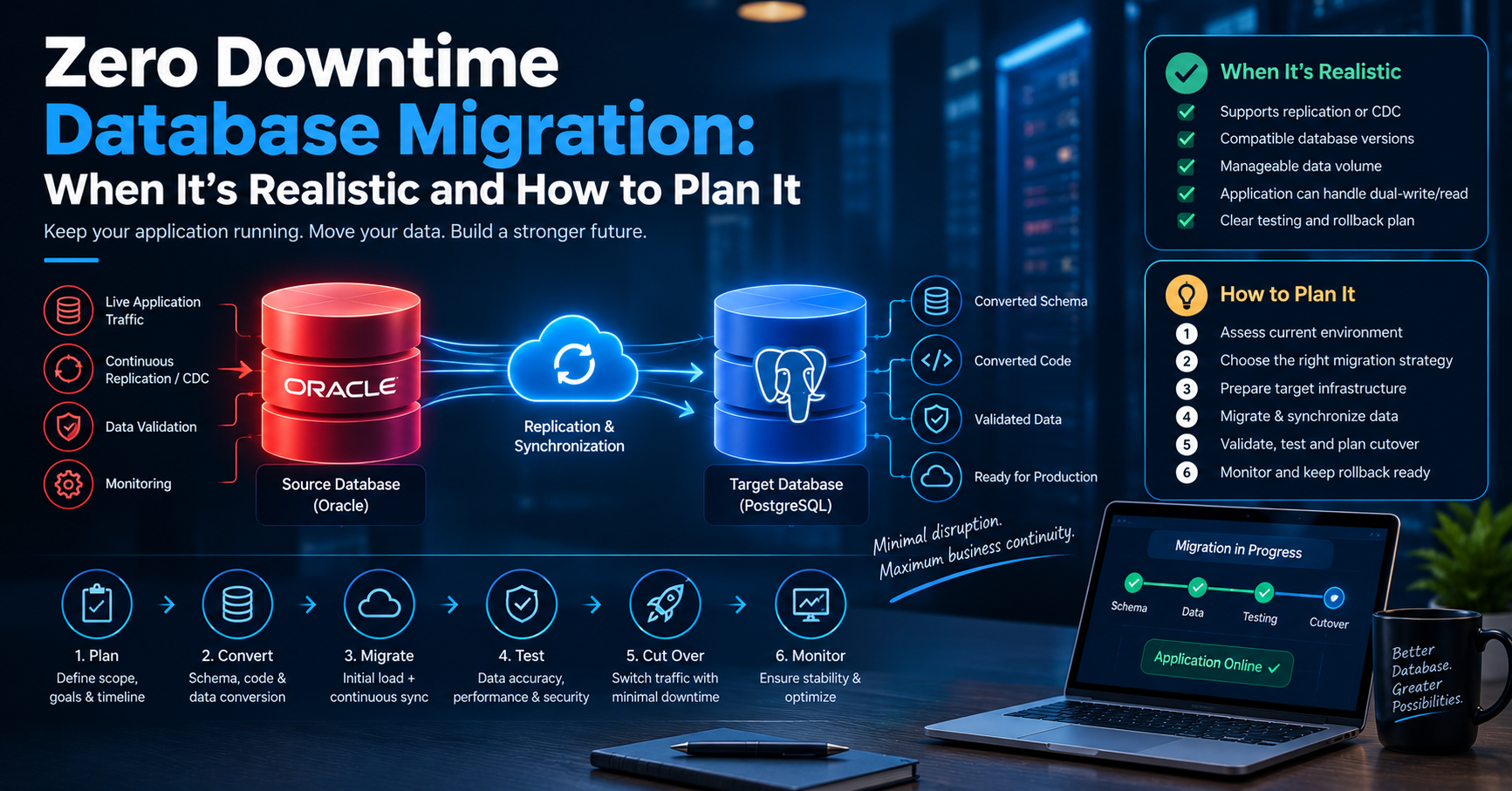
SQL Server to PostgreSQL Migration: Planning, Risks, Costs, and Timelines
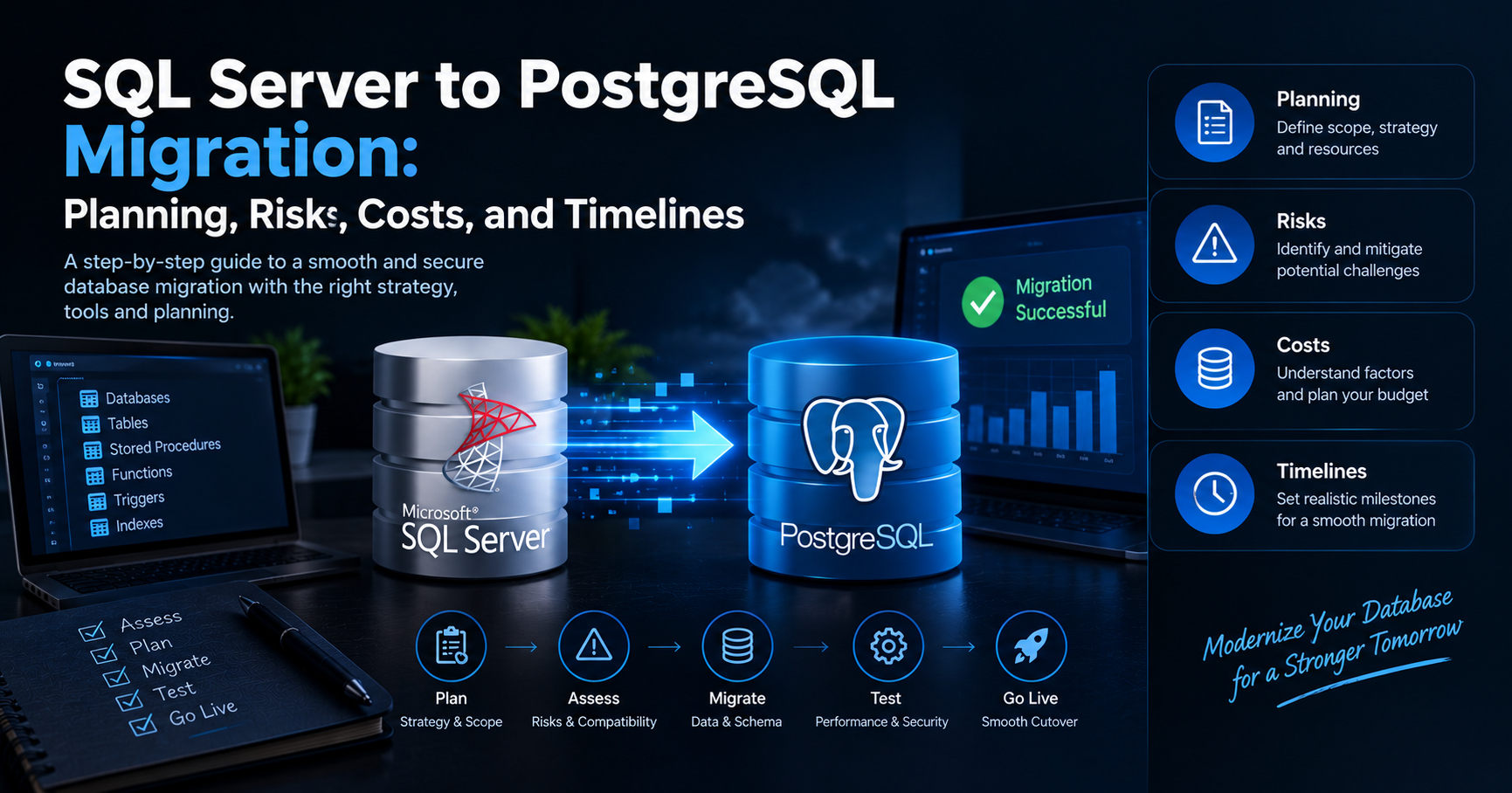
Moving a database from SQL Server to PostgreSQL is more than a simple database export and import. The two platforms support many of the same relational database concepts, but they differ in SQL syntax, data types, functions, security models, indexing, stored procedures, and administration.
A successful SQL Server to PostgreSQL migration therefore requires careful planning. Teams need to understand the existing SQL Server environment, identify application dependencies, choose the right migration approach, test compatibility, and plan how the final cutover will happen.
When handled properly, migration can help organizations reduce licensing costs, modernize their database infrastructure, improve flexibility, and build a more open technology stack.
Key Takeaways
- SQL Server to PostgreSQL migration requires both data and application-level planning.
- Database compatibility should be assessed before migration begins.
- Stored procedures, functions, triggers, SQL queries, and data types may require changes.
- Migration downtime depends heavily on database size, application architecture, and the chosen migration strategy.
- Automated migration tools can accelerate the process, but manual validation is still important.
- Testing should cover data accuracy, application behavior, performance, security, and integrations.
- A phased migration can reduce risk for large or business-critical databases.
- The total cost depends on database complexity, data volume, application changes, testing, tooling, and support requirements.
Why Migrate from SQL Server to PostgreSQL?
Organizations move from SQL Server to PostgreSQL for different business and technical reasons.
One common reason is cost optimization. PostgreSQL is open source, which can reduce licensing expenses compared with commercial database deployments. However, organizations should still account for infrastructure, engineering, migration, support, monitoring, and operational costs.
Another reason is technology flexibility. PostgreSQL works across different environments and is widely used in cloud, on-premises, and hybrid architectures.
Migration may also be part of a broader modernization project where an organization wants to simplify its technology stack or reduce dependency on a specific database platform.
The important point is that migration should be driven by a clear business or technical objective rather than simply changing database platforms.
SQL Server vs PostgreSQL: What Changes?
SQL Server and PostgreSQL are both powerful relational database systems, but they are not interchangeable.
Some differences that commonly affect migration include:
- SQL syntax
- Data types
- Identity and sequence handling
- Stored procedures and functions
- Triggers
- Indexing strategies
- Transaction behavior
- Authentication and permissions
- Date and time handling
- String functions
- Temporary tables
- Error handling
- Extensions
- Database administration
For example, SQL Server applications may contain T-SQL-specific queries and stored procedures that cannot be transferred directly to PostgreSQL without modification.
This is why a migration assessment should happen before the actual data movement.
Step 1: Assess the Existing SQL Server Environment
The first stage is understanding what already exists.
Create an inventory of:
- Databases
- Tables
- Views
- Stored procedures
- Functions
- Triggers
- Indexes
- Constraints
- Jobs
- Linked servers
- Reports
- ETL processes
- APIs
- Application connections
- Third-party integrations
Also document database size, table sizes, growth rates, transaction volumes, peak usage, backup requirements, and availability requirements.
This assessment helps determine how complicated the migration will be.
Step 2: Identify Compatibility Issues
Not every SQL Server object will map directly to PostgreSQL.
The team should review SQL Server-specific features and identify which ones need to be redesigned.
Common areas include:
T-SQL Queries
Application queries may use SQL Server-specific syntax or functions.
These queries should be identified and rewritten for PostgreSQL where required.
Stored Procedures and Functions
Stored procedures can contain significant business logic.
Instead of treating them as simple database objects, review their logic carefully and determine whether they should be:
- Converted to PostgreSQL functions
- Rewritten as procedures
- Moved into application code
- Redesigned as part of the modernization process
Data Types
Data type mapping needs careful validation.
Common examples include:
| SQL Server | PostgreSQL |
|---|---|
INT |
INTEGER |
BIGINT |
BIGINT |
VARCHAR |
VARCHAR |
NVARCHAR |
VARCHAR / TEXT |
DATETIME |
TIMESTAMP |
BIT |
BOOLEAN |
UNIQUEIDENTIFIER |
UUID |
DECIMAL |
NUMERIC |
These mappings are starting points rather than automatic rules. Application behavior and data requirements should always be tested.
Step 3: Choose the Migration Strategy
There is no single migration strategy that works for every organization.
Big Bang Migration
The entire database is migrated during a planned maintenance window.
Advantages:
- Simple migration architecture
- Easier to understand
- One final cutover
Challenges:
- Potentially longer downtime
- Higher cutover risk
- More pressure on the migration team
This approach may work well for smaller databases or systems with flexible downtime requirements.
Phased Migration
Large environments can be migrated in stages.
For example, different applications, databases, schemas, or business units can be migrated separately.
This reduces the size of each migration event and can make troubleshooting easier.
Continuous or Near-Zero-Downtime Migration
For critical systems, organizations may replicate ongoing changes from SQL Server to PostgreSQL while the source system remains active.
The final cutover then involves stopping writes, synchronizing remaining changes, validating the target, and switching the application to PostgreSQL.
This approach can reduce downtime but usually requires more planning, tooling, monitoring, and testing.
Step 4: Select the Right Migration Tools
Migration tools can automate many repetitive tasks, including:
- Schema conversion
- Data transfer
- Type mapping
- Data validation
- Change replication
- Migration monitoring
However, tools should not be treated as a complete replacement for engineering review.
Automated conversion may successfully move the database structure while leaving application queries, stored procedures, or performance characteristics unresolved.
The right approach is usually:
Automate → Review → Test → Validate → Optimize
Step 5: Migrate the Schema
Before moving production data, create the PostgreSQL schema.
This may include:
- Tables
- Primary keys
- Foreign keys
- Constraints
- Indexes
- Views
- Functions
- Triggers
- Sequences
- Extensions
Schema conversion should be tested independently before loading the full production dataset.
This makes it easier to identify structural problems early.
Step 6: Migrate and Validate the Data
Data migration should not end when the import process reports success.
Validation should confirm:
- Row counts
- Null values
- Duplicate records
- Data types
- Numeric precision
- Date and time values
- Foreign key relationships
- Character encoding
- Large objects
- Business-critical records
For important systems, teams should compare source and target data using automated validation processes.
A database can technically complete migration while still containing subtle data problems.
Step 7: Update the Application
The application layer is one of the most important parts of the migration.
Update:
- Database connection strings
- Database drivers
- ORM configuration
- SQL queries
- Stored procedure calls
- Transaction handling
- Error handling
- Connection pooling
- Reporting integrations
- Background jobs
Applications should be tested against PostgreSQL before production cutover.
This is especially important for applications that contain large amounts of database-specific SQL.
Performance Considerations
A successful migration is not only about getting the data into PostgreSQL.
The new database should also meet expected performance requirements.
Compare:
- Query response times
- CPU usage
- Memory consumption
- Disk I/O
- Index performance
- Connection counts
- Transaction throughput
- Batch processing performance
Indexes may need to be redesigned rather than copied exactly from SQL Server.
Similarly, queries that performed well on SQL Server may need optimization after moving to PostgreSQL.
Common SQL Server to PostgreSQL Migration Risks
1. Application Compatibility
The database may migrate successfully while the application still depends on SQL Server-specific functionality.
2. Stored Procedure Conversion
Complex T-SQL logic can require significant manual rewriting.
3. Data Type Differences
Incorrect type mapping can result in data loss, application errors, or unexpected behavior.
4. Performance Changes
A query optimized for SQL Server may behave differently in PostgreSQL.
5. Unexpected Downtime
Poorly planned data synchronization or cutover procedures can increase downtime.
6. Incomplete Dependency Discovery
Reports, integrations, scripts, and background services may still connect to the original SQL Server database.
7. Security Configuration
User permissions, authentication, encryption, network access, and auditing need to be reviewed in the PostgreSQL environment.
How to Minimize Migration Risk
A strong migration plan should include:
Discovery
Understand the complete SQL Server environment.
Compatibility Assessment
Identify objects and application components that require changes.
Proof of Concept
Migrate a representative portion of the environment first.
Testing
Test functionality, performance, security, integrations, and data accuracy.
Rehearsal
Perform a realistic migration rehearsal before production cutover.
Rollback Plan
Define exactly how the organization will return to SQL Server if the migration fails.
Post-Migration Monitoring
Monitor the PostgreSQL environment closely after production release.
SQL Server to PostgreSQL Migration Timeline
The timeline depends on database size and complexity rather than database size alone.
A relatively simple database may be migrated within a few weeks, while a large enterprise environment with multiple applications and complex stored procedures can require several months.
A typical project may look like this:
| Phase | Typical Duration |
|---|---|
| Discovery & Assessment | 1–2 weeks |
| Compatibility Analysis | 1–3 weeks |
| Proof of Concept | 1–2 weeks |
| Schema & Data Migration Development | 2–6 weeks |
| Application Changes | 2–8 weeks |
| Testing & Optimization | 2–6 weeks |
| Cutover Preparation | 1–2 weeks |
| Production Migration | Hours to several days |
| Post-Migration Monitoring | 1–2 weeks |
These are planning ranges rather than fixed timelines. Complex systems may require considerably more time.
What Does SQL Server to PostgreSQL Migration Cost?
Migration cost depends on several variables.
Database Complexity
A database with basic tables and queries is generally easier to migrate than one containing hundreds of procedures, triggers, integrations, and custom business rules.
Data Volume
Large databases require more storage, transfer capacity, validation, and migration planning.
Application Changes
If the application contains SQL Server-specific code, development effort can increase significantly.
Downtime Requirements
A migration requiring minimal downtime may need additional replication, testing, monitoring, and infrastructure.
Tooling
Some migrations can rely heavily on open-source tools, while complex enterprise environments may require commercial migration or replication solutions.
Testing and Support
Performance testing, security testing, user acceptance testing, and post-migration support also contribute to the total cost.
A useful way to estimate the budget is to divide the project into:
Assessment + Development + Data Migration + Testing + Infrastructure + Cutover + Support
This produces a more realistic estimate than calculating cost from database size alone.
Zero-Downtime Migration Considerations
Organizations that cannot tolerate extended downtime should plan the cutover early.
A common approach is:
- Prepare the PostgreSQL environment.
- Perform an initial data load.
- Start change synchronization.
- Keep SQL Server operational.
- Validate the PostgreSQL database.
- Perform final synchronization.
- Temporarily stop application writes.
- Confirm the target database is synchronized.
- Switch application connections.
- Monitor the new environment.
The exact architecture depends on the database, application, replication technology, and acceptable recovery point.
Security and Compliance
Database migration should not weaken the security posture of the application.
Review:
- User permissions
- Role-based access
- Authentication
- Encryption
- Network controls
- Backup security
- Audit logging
- Secrets management
- Monitoring
- Data retention
Sensitive data should be protected throughout the migration process, including during temporary storage and transfer.
Post-Migration Checklist
After switching to PostgreSQL, verify:
- Application login and core workflows
- Database connectivity
- Query performance
- Background jobs
- Reports
- APIs
- Data accuracy
- Scheduled tasks
- Backups
- Monitoring
- Alerts
- Security policies
- Disaster recovery procedures
Do not immediately decommission the SQL Server environment unless the rollback and validation period has been completed successfully.
Common Mistakes to Avoid
Treating Migration as a Simple Data Export
Moving tables is only one part of the project.
Ignoring Application Dependencies
Applications often contain database-specific logic that is easy to miss.
Skipping Performance Testing
A functionally correct migration can still create performance problems.
Migrating Without a Rollback Plan
Production migration should always have a defined recovery strategy.
Choosing Tools Before Understanding the Environment
The right tool depends on database architecture, data volume, downtime requirements, and application dependencies.
Underestimating Testing
Testing should cover both technical correctness and real business workflows.
A Practical SQL Server to PostgreSQL Migration Framework
For organizations planning a migration, the following framework provides a practical starting point:
1. Discover
Inventory the SQL Server environment and application dependencies.
2. Assess
Identify compatibility, performance, security, and data risks.
3. Plan
Choose the migration strategy, tools, timeline, and rollback approach.
4. Convert
Prepare the PostgreSQL schema and rewrite incompatible database logic.
5. Migrate
Move data using the selected migration method.
6. Validate
Compare data, functionality, and performance.
7. Cut Over
Move production traffic to PostgreSQL according to the approved runbook.
8. Optimize
Tune queries, indexes, configuration, and monitoring.
9. Stabilize
Monitor the environment and resolve post-migration issues before retiring the old platform.
Frequently Asked Questions
How difficult is SQL Server to PostgreSQL migration?
The difficulty depends on the complexity of the database and application. Basic databases can be relatively straightforward, while systems with extensive T-SQL, stored procedures, integrations, and SQL Server-specific features require more work.
Can SQL Server data be migrated directly to PostgreSQL?
Data can be transferred using migration tools and other methods, but the schema, queries, procedures, functions, and application dependencies may require conversion or redesign.
How long does a SQL Server to PostgreSQL migration take?
Simple migrations may take a few weeks, while complex enterprise migrations can take several months. Database size, application complexity, testing requirements, and downtime constraints all affect the timeline.
Can SQL Server to PostgreSQL migration be done with minimal downtime?
Yes. Replication or change-data-capture approaches can keep the target database synchronized while the source remains operational, allowing a shorter final cutover window.
Will SQL Server queries work in PostgreSQL?
Not necessarily. SQL Server-specific T-SQL syntax and functions may need to be rewritten for PostgreSQL.
Is PostgreSQL cheaper than SQL Server?
PostgreSQL is open source and does not require traditional database license fees, but the overall cost of running and supporting a database also includes infrastructure, engineering, monitoring, migration, and operational expenses.
Work with eSparks IT Solutions
Planning a project around this? We help businesses across the USA,UK, Canada, Australia and the GCC ship it. See how we work with clients in the USA. Explore our Programming services and portfolio, estimate your project cost, or book a free call.
Related Development Services
→ Backend & API Development → Web Development Services → [Hire Dedicated Developers] (https://www.esparksit.com/locations/hire-dedicated-developers-uk) → Estimate your project cost
Comments
Join the discussionNo comments yet. Be the first to comment.